1
Monday
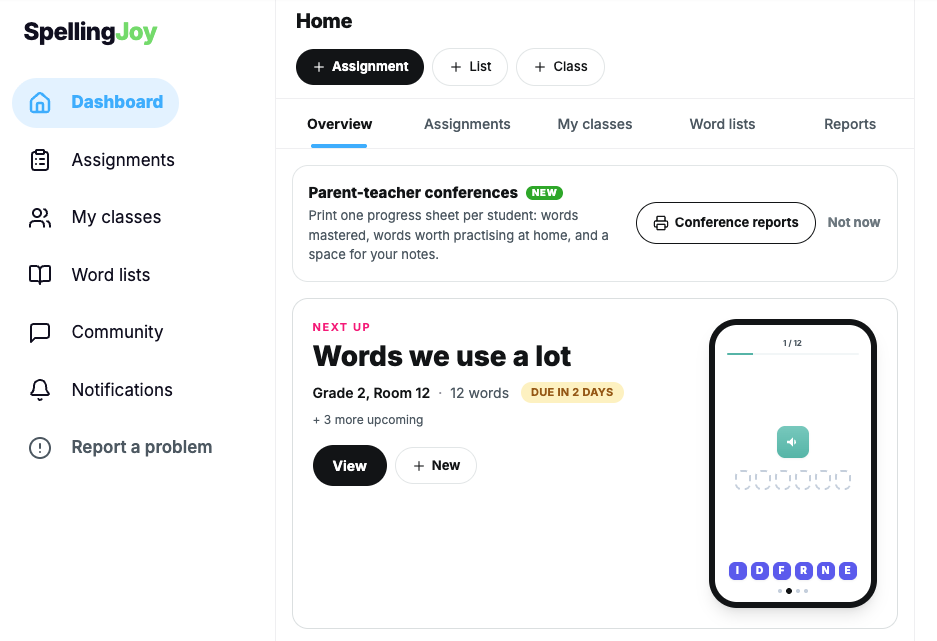
The teacher assigns the list. Two minutes.
SpellingJoy for Schools
Your teachers may already use SpellingJoy for free. The school license adds a ready list for every grade, every printable pack and one monthly report for you. Classroom practice stays free for every teacher and student.
$299 per school, one payment, covers the school year through June 30. No quote or PO needed. Districts: get a quote.

How a week works
A teacher assigns the week's words: her own, a photo of the school list, or a list from the school library. Students practice with a spelling test on any device. The teacher sees who is ready for Friday.
1
The teacher assigns the list. Two minutes.
2
Students practice at school or at home, tiles or keyboard, audio read by Joy.
3
Printable worksheets and a printable test from the same list.
4
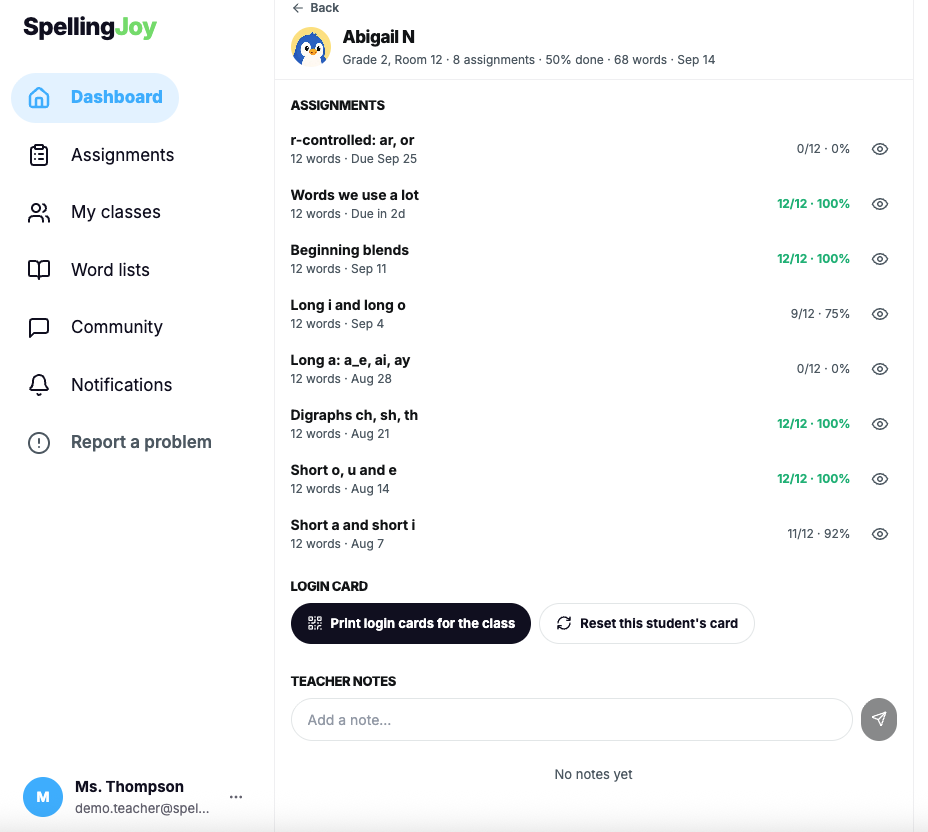
The teacher sees who is ready and which words need one more look.
What every teacher gets
For the principal
The school sees the building and the grades. Teachers see their own classes. The admin view is for rollout, the library and one honest report a month.
Getting everyone in
No district setup, no student email accounts. Clever is optional and teacher-installed. Google Classroom and Canvas roster sync are not available today.
1
Teachers sign in with Google or email and join your school with their school address or an invitation. Students join a class with a code or printable login cards.
7
Guided staff onboarding. The shared library is live and every teacher has the resources.
30
School admin tools and the first monthly report.
Built for elementary student privacy
Students are first name and last initial in the app. No student emails.
Student data is never used to train AI.
Signed. State exhibits on request. COPPA and FERPA compliant.
W-9, privacy policy, subprocessor list and a quote for your purchase order.
Questions from schools
Everything you need to know about SpellingJoy.
See all questionsNo. Classroom spelling practice stays free for every teacher. The school license adds the school layer on top: a shared library, all teaching resources, a school admin view, a monthly report and guided onboarding.
Students join a class with a class code or with printable login cards. No student email addresses are needed, and students appear in the app as first name and last initial.
Teachers sign in with Google or email. SpellingJoy is also available as a teacher-installed app in the Clever Library, which imports a teacher's sections and students. Teachers can post their class link into Google Classroom. Roster and grade sync with Google Classroom or Canvas is not available today.
The school and the grades, never the individual teacher. The admin view shows which teachers have joined, the shared library and school settings. The monthly report shows active students, practice, patterns practiced and students who need extra practice, by grade, as counts. No teacher-level activity, no class rankings, no logins per teacher.
Yes. Most of our schools are in the US, and the word lists follow US K-6 spelling patterns, but the license, the library and the resources work for any English-speaking school. Tell us your country in the form and we will confirm the details.
A signed SDPC National Data Privacy Agreement (state exhibits on request), a W-9, our privacy policy and subprocessor list, and a quote your business office can attach to a purchase order. A single school can also buy on this page with a card; invoice and purchase-order paperwork happens by email.
$299 per school per year. It covers every teacher and student in the building. Your license runs through June 30; buy on or after March 1 and it runs through June 30 of the following year. One payment, nothing renews by itself. A single school can buy on this page with a card. For several schools, or to pay by invoice and purchase order, use the district form and we will send a quote.
Pricing
Classroom spelling practice stays free for every teacher, always. The license adds the school layer, and you can buy it right here.

Teachers keep their free classroom tools
One license for the whole school
$299 per school per year. The license runs to June 30.
per school, per year
*Your license runs to June 30. Buy on or after March 1 and it runs to June 30 of the following year.
One payment by card. Nothing renews by itself: after its June 30 end date it simply stops unless you choose to continue, and your teachers keep every class and student either way. Need an invoice or a purchase order? Use the district form below.
More than one school?
Districts buy by quote, on an invoice or a purchase order, with a W-9 and the forms your office needs.
District quote
How many schools, and roughly how many teachers? We will send a quote with a W-9 and the paperwork your office needs. Primarily US elementary schools, but every English-speaking school is welcome.
SpellingJoy for Schools
Every teacher and every student in your building. Shared library, all teaching resources, school admin and a monthly report, guided onboarding, priority support.